
Running a business
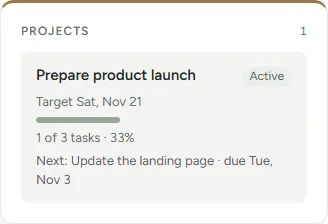
Projects with their tasks and status, so the launch and the weekly work sit side by side.
Build a personal planning system around your goals, responsibilities and routines. Start with AI guidance, or create it your way.
RevereOS Builder, $97 a year. Try the interactive example first, no account needed.

The planner
RevereOS turns what you’re juggling into one workspace: a space for each area of your life, and one place to see what matters today.

Your business, your studies, your home: each gets its own area with the parts it needs.
Goals with milestones and projects with their tasks, so long-term plans stay in view.
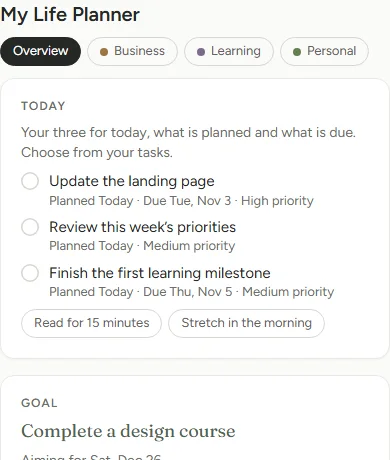
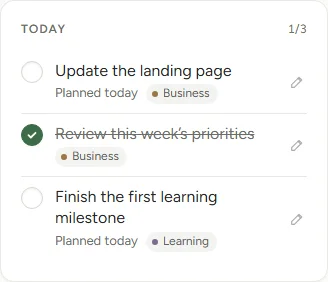
Every planner has a Today: the three things you chose, and what’s planned and due.
Rename, rearrange and restyle it as your life changes.
Explore the interactive example A sample planner you can use without an account.
Why it’s hard
Tasks, goals, routines and responsibilities end up spread across too many places.
A layout can look good and still miss how your days actually work.
Time goes into reorganizing the planner instead of using it.
RevereOS brings them into one planning system, shaped around what you’re actually managing.
How it works
01 Describe
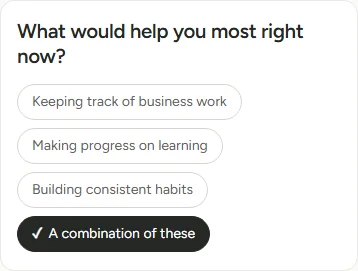
Your goals, responsibilities or routines, in a sentence or two, then a few short questions. Prefer to set it up yourself? Start from a simple layout or a blank page.
02 Shape
See the suggested areas and modules, change what doesn’t fit, and approve it when it’s right. Nothing is created before that.
03 Use
Tasks, goals, habits and projects, with a Today for each planner. Plan My Day suggests a plan for the day; you decide what to keep.
The same planner holds very different work. Here are the three areas from the example.
Projects with their tasks and status, so the launch and the weekly work sit side by side.
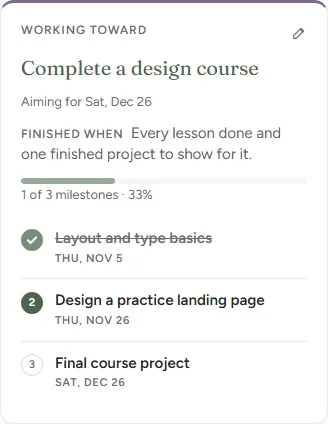
A goal measured by milestones, with the next steps planned.
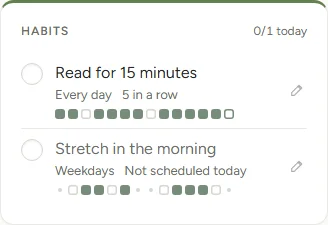
Habits on their own schedules, with the last two weeks at a glance, and routines with steps.
You choose the areas and what goes in them. RevereOS can suggest a start; you decide what stays.
Themes
Each planner has its own look. Choose from six themes, then adjust type, corners and spacing. Arrange and resize its modules, and organize your areas.
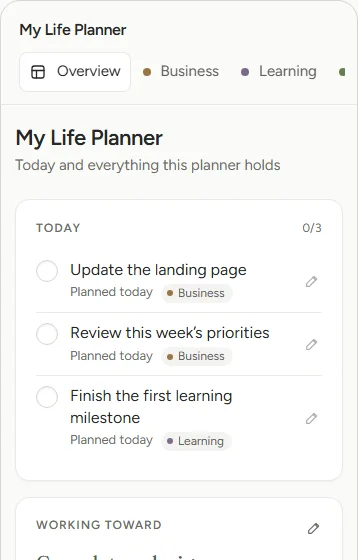
Still Quiet, minimal, balanced
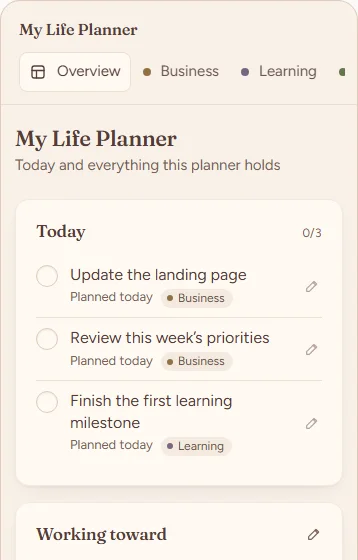
Hearth Warm, cozy, personal
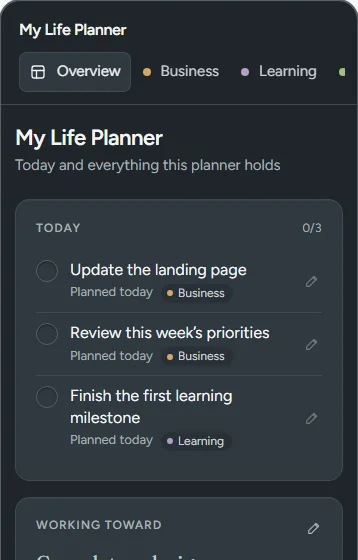
Afterdark Focused, atmospheric, contemporary
Pricing
One plan, everything included.
$97 / year
Billed $97 once a year, renewing automatically. Cancel any time from your account’s billing settings; you keep access until the end of the year you’ve paid for. You’ll create an account, then subscribe.
No. Describe what you’re organizing and RevereOS suggests a starting structure, which you review and change before anything is created. You can also start from a simple ready-made layout.
Yes. Start from the essentials layout or a blank planner, and add areas and modules yourself.
Yes. Add, remove, move and resize modules, rename and reorder areas, and change the theme whenever you like.
Yes. The interactive example walks through a sample planner, no account needed. It’s a sample to try, not a free plan.
RevereOS Builder is $97 a year, billed yearly and renewed automatically. Cancel any time from your account’s billing settings, and you keep access until the end of the paid year.
Create a planning system that works with your life, not against it.
Create my planner